Reviews Shortcode
Display Google reviews on your WordPress site
Show your Google Business Profile reviews directly on your WordPress site using the Synoveo reviews shortcodes.
Overview
Synoveo provides two shortcodes for displaying Google reviews:
[synoveo_reviews]- Display individual reviews[synoveo_rating_summary]- Display an aggregate rating summary
Admin Configuration
Navigate to Synoveo → Reviews & Ratings to configure the display options:
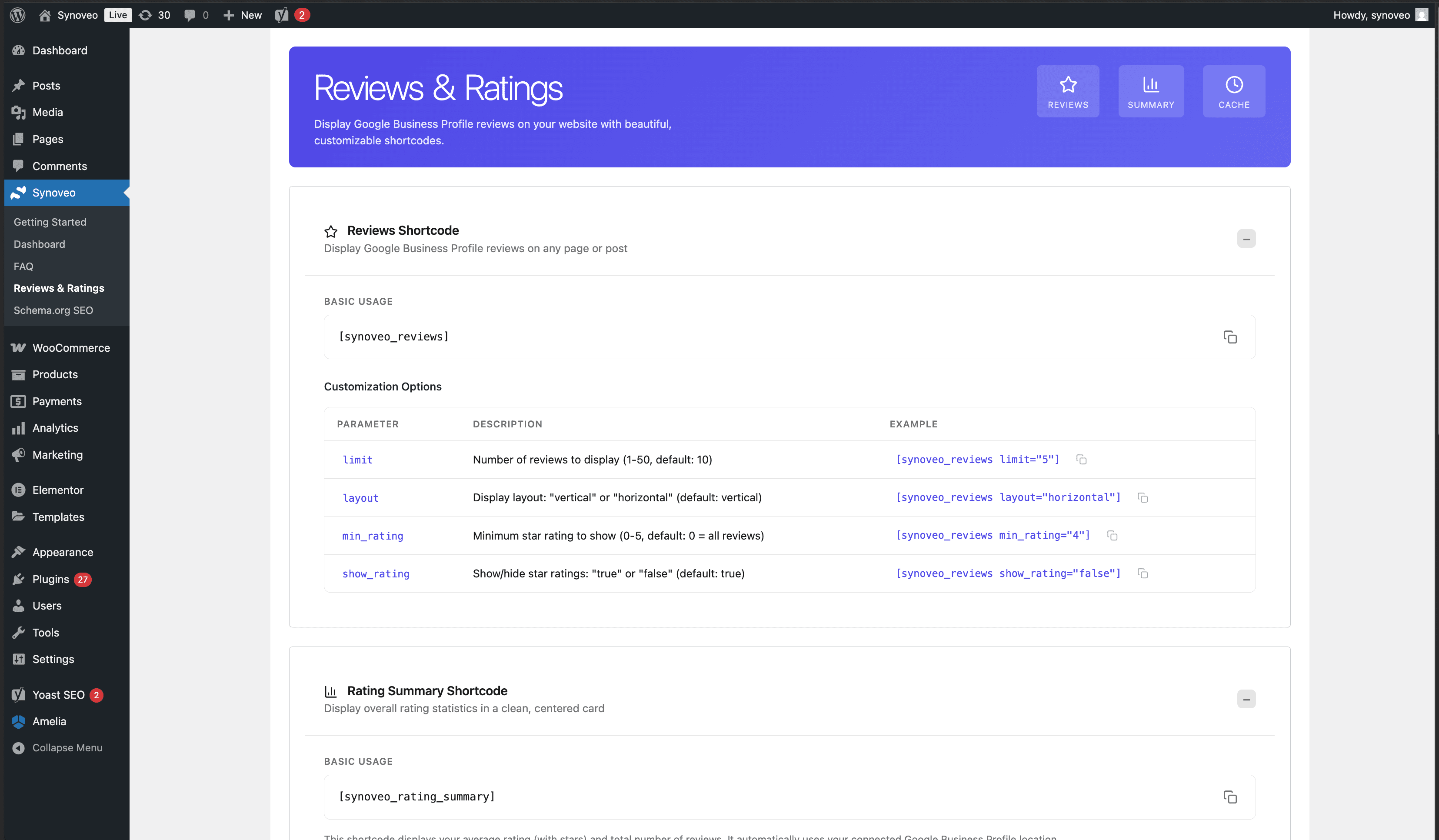
From this page you can:
- Preview how reviews will appear
- Configure default display settings
- Copy shortcodes to clipboard
Basic Usage
Reviews Shortcode
Add this shortcode to any post, page, or widget to display reviews:
[synoveo_reviews]Rating Summary Shortcode
Display an aggregate rating with star visualization:
[synoveo_rating_summary]Shortcode Example
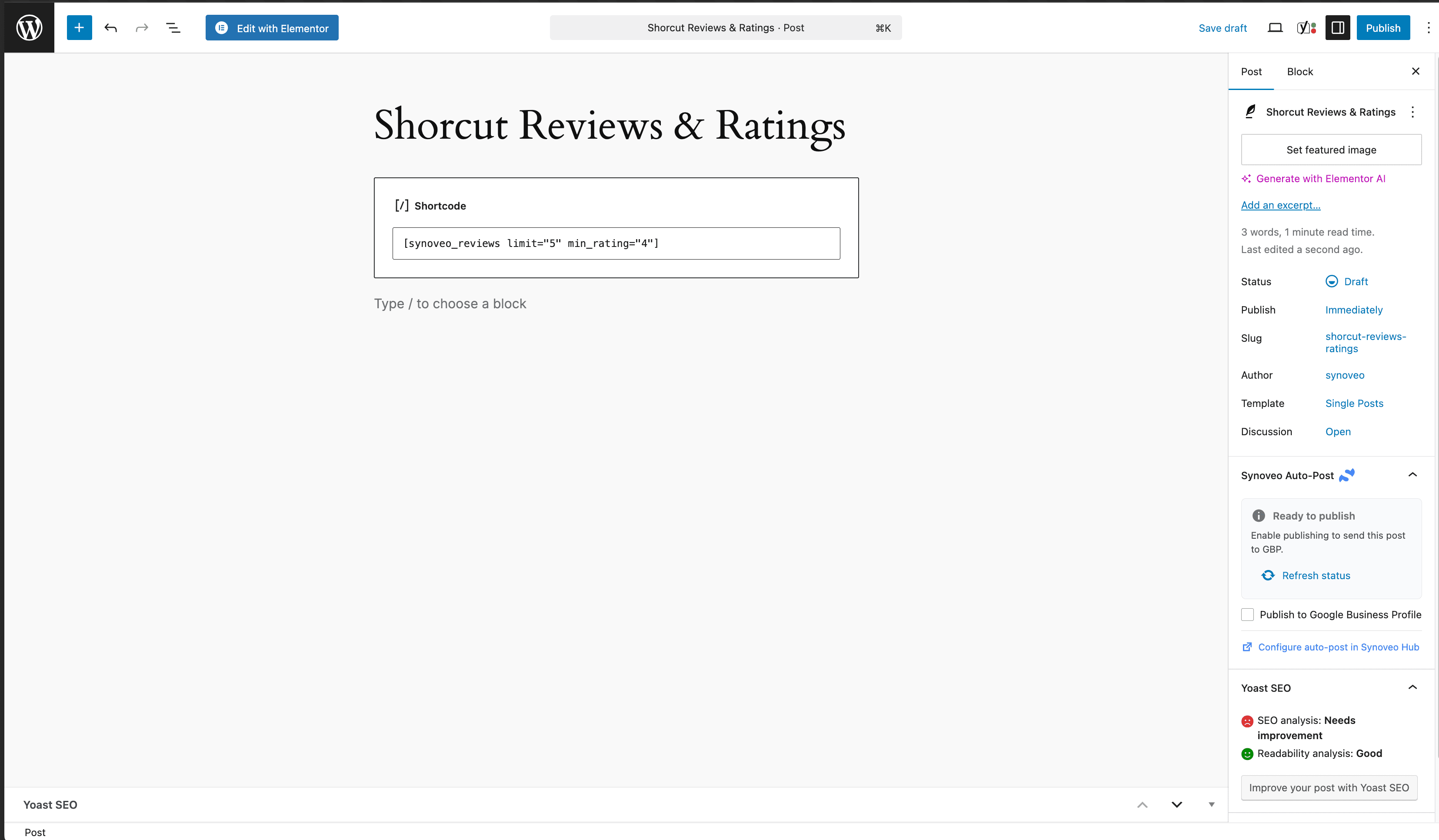
Here's an example of the shortcode configuration in the WordPress editor:
Layout Options
Vertical Layout
Reviews stacked vertically, ideal for sidebars and narrow columns:
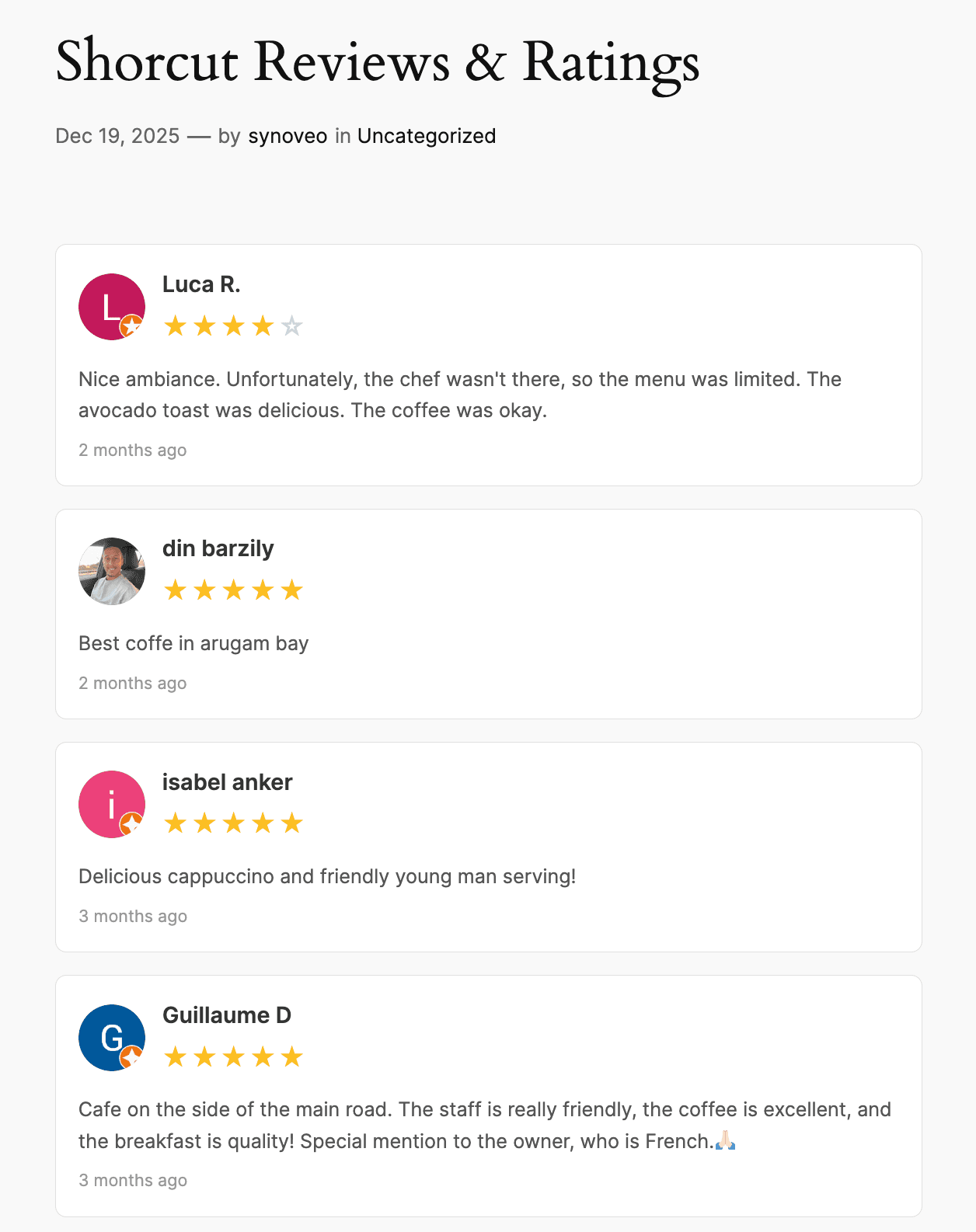
[synoveo_reviews layout="vertical"]Horizontal Layout
Reviews displayed in a row, great for full-width sections:
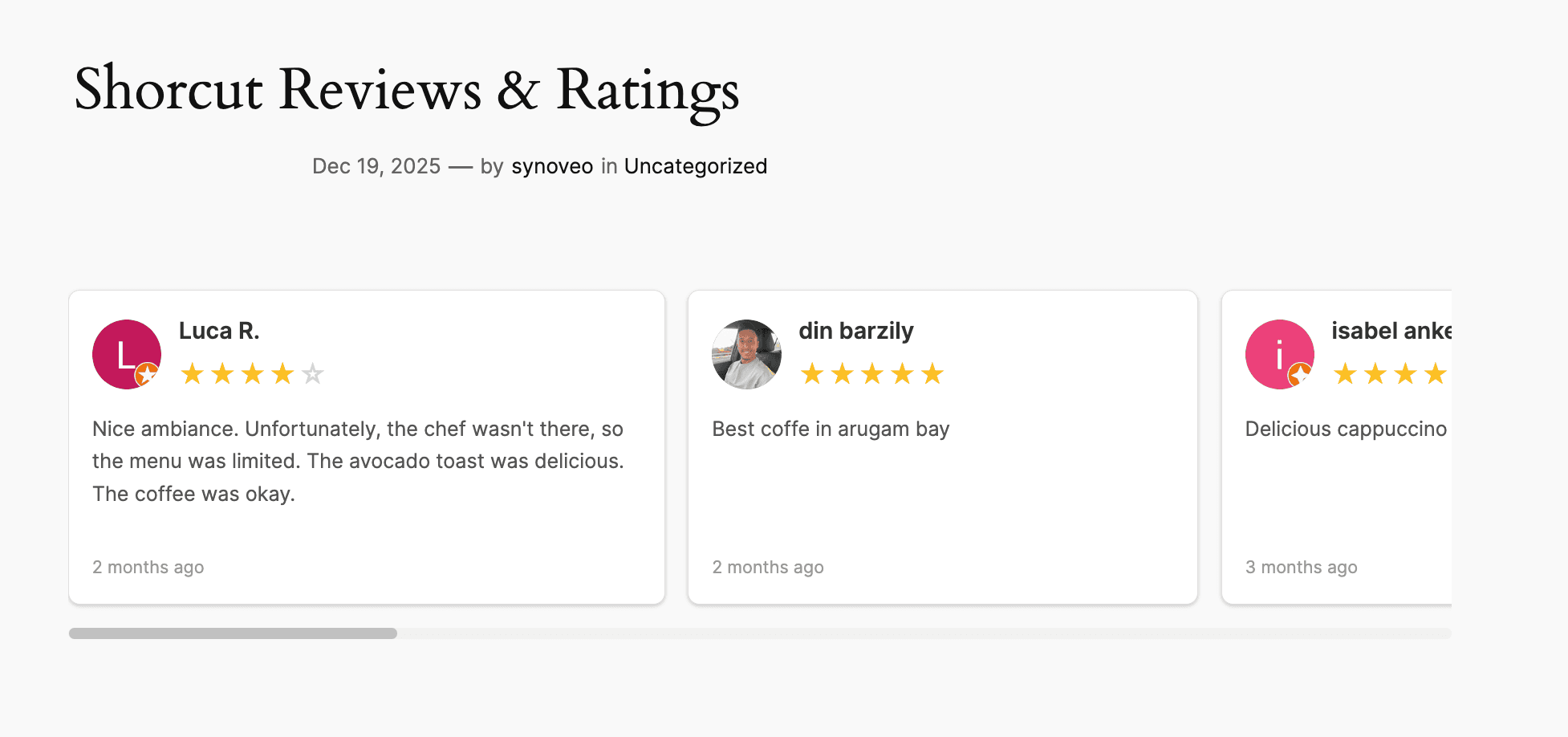
[synoveo_reviews layout="horizontal"]Rating Summary Display
The rating summary shortcode shows an aggregate view of your reviews:
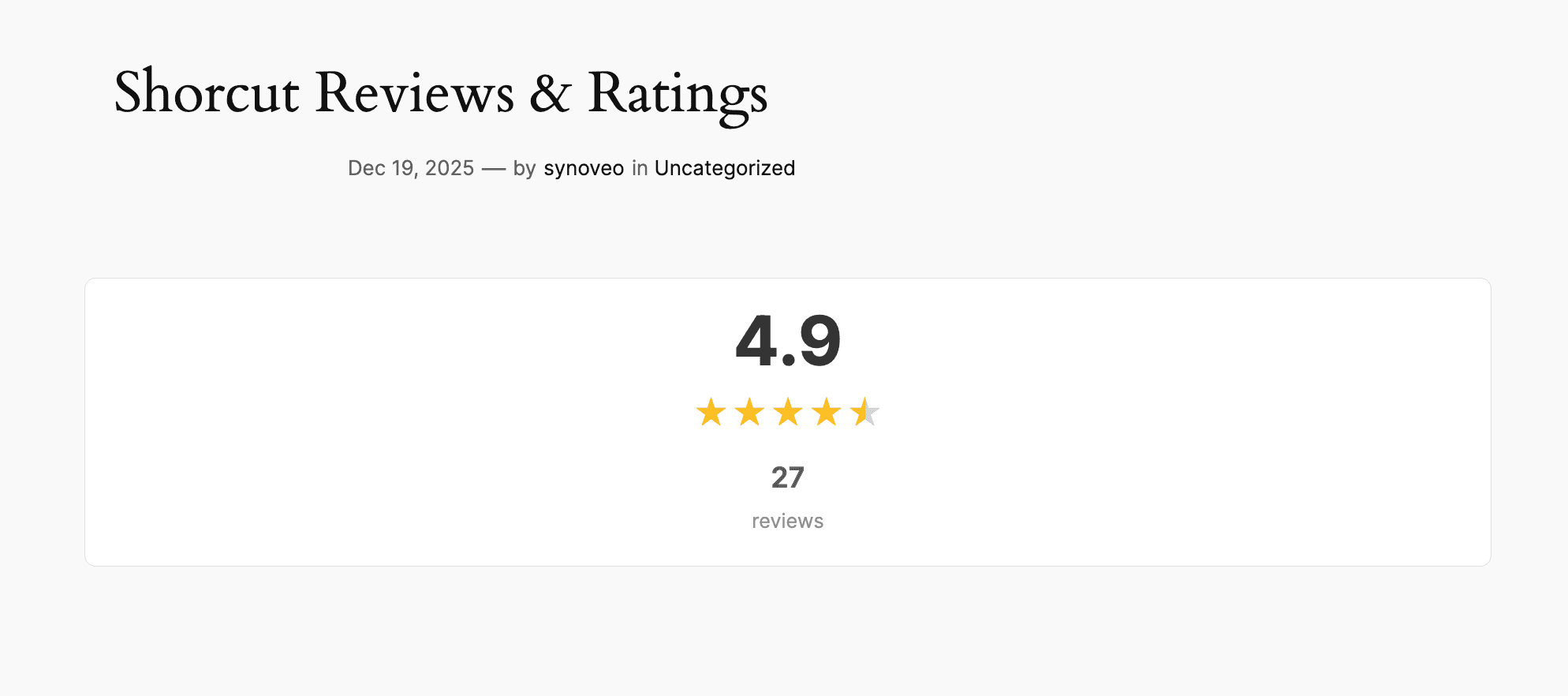
[synoveo_rating_summary]This displays:
- Overall star rating (e.g., 4.8 out of 5)
- Total number of reviews
- Star visualization
- Link to view all reviews on Google
Shortcode Attributes
Reviews Attributes
Customize the display with these attributes:
[synoveo_reviews limit="5" layout="vertical" min_rating="4"]| Attribute | Default | Options | Description |
|---|---|---|---|
limit | 5 | 1-20 | Number of reviews to show |
layout | vertical | vertical/horizontal/grid | Display layout |
min_rating | 1 | 1-5 | Minimum star rating to show |
show_rating | true | true/false | Show star rating |
show_date | true | true/false | Show review date |
show_avatar | true | true/false | Show reviewer avatar |
order | newest | newest/highest/lowest | Sort order |
Rating Summary Attributes
[synoveo_rating_summary show_count="true" style="compact"]| Attribute | Default | Options | Description |
|---|---|---|---|
show_count | true | true/false | Show review count |
show_stars | true | true/false | Show star visualization |
style | default | default/compact | Display style |
link_to_google | true | true/false | Link to Google reviews |
Styling
CSS Classes
The shortcode outputs semantic HTML with classes for styling:
/* Reviews container */
.synoveo-reviews { }

/* Individual review */
.synoveo-review { }
.synoveo-review-rating { }
.synoveo-review-author { }
.synoveo-review-text { }
.synoveo-review-date { }

/* Rating summary */
.synoveo-rating-summary { }
.synoveo-rating-stars { }
.synoveo-rating-count { }
Custom CSS Example
.synoveo-reviews {
  max-width: 800px;
  margin: 0 auto;
}

.synoveo-review {
  background: #f9f9f9;
  padding: 20px;
  border-radius: 8px;
  margin-bottom: 15px;
}

.synoveo-review-rating {
  color: #ffc107;
}

.synoveo-rating-summary {
  text-align: center;
  padding: 30px;
  background: linear-gradient(135deg, #f5f7fa 0%, #c3cfe2 100%);
  border-radius: 12px;
}
Widget Support
Add reviews to sidebars:
- Go to Appearance → Widgets
- Add a Text or Shortcode widget
- Enter the shortcode
Page Builder Support
Elementor
- Add a Shortcode widget
- Enter
[synoveo_reviews] - Customize with attributes
Gutenberg
- Add a Shortcode block
- Enter the shortcode
- Preview in the editor
Divi
- Add a Code module
- Enter the shortcode
- Save and preview
Caching
Reviews are cached for 12 hours to improve performance. To refresh:
- Wait for cache expiration
- Or clear your WordPress cache
Requirements
- Synoveo plugin connected and active
- Valid API credentials
- Google Business Profile with reviews
Reviews are fetched from Google via Synoveo. The number of reviews you can display depends on your plan's API quota.