Visibility & SEO Tools
Optimize your Google listing to rank higher and attract more guests
A complete, optimized Google listing gets more views and more bookings. Synoveo provides tools to measure your profile strength, identify improvements, detect unauthorized changes, and track your search visibility.
Profile Completeness Score
Your completeness score measures how much of your Google Business Profile is filled out. A higher score means Google shows your listing to more people.
How the score works
Synoveo checks every field on your Google listing and calculates a percentage:
| Score Range | Rating | Impact |
|---|---|---|
| 90-100% | Excellent | Maximum visibility in search results |
| 70-89% | Good | Competitive, but room for improvement |
| 50-69% | Fair | Missing fields are limiting your reach |
| Below 50% | Needs attention | Significantly reduced visibility |
What's measured
| Category | Fields Checked |
|---|---|
| Basic info | Name, address, phone, website, description |
| Hours | Regular hours, special hours |
| Categories | Primary category, secondary categories |
| Photos | Cover photo, logo, property photos, room photos |
| Attributes | Amenities, services, accessibility, policies |
| Description | Business description length and quality |
Aim for 90% or higher. Properties with complete profiles receive up to 7x more clicks than those with incomplete listings, according to Google's own data.
Profile Optimization Recommendations
Synoveo doesn't just show your score -- it tells you exactly what to improve and why.
How recommendations work
Review your recommendations
Go to Google Presence > Visibility. You'll see a prioritized list of improvements.
Understand the impact
Each recommendation shows:
- What to do -- The specific field or content to add
- Why it matters -- How this improvement helps your visibility
- Priority -- High, medium, or low impact
Take action
Click on a recommendation to go directly to the field that needs updating. Make the change and save.
Watch your score improve
After making changes, your completeness score updates to reflect the improvement.
Common recommendations
| Recommendation | Why It Matters |
|---|---|
| Add more photos | Listings with 20+ photos get 35% more clicks |
| Write a longer description | Helps Google understand and rank your property |
| Add amenity attributes | Guests filter by amenities when searching |
| Set special hours | Shows Google your listing is actively maintained |
| Add secondary categories | Helps your property appear in more search types |
| Complete accessibility info | Required for some travelers, improves inclusivity |
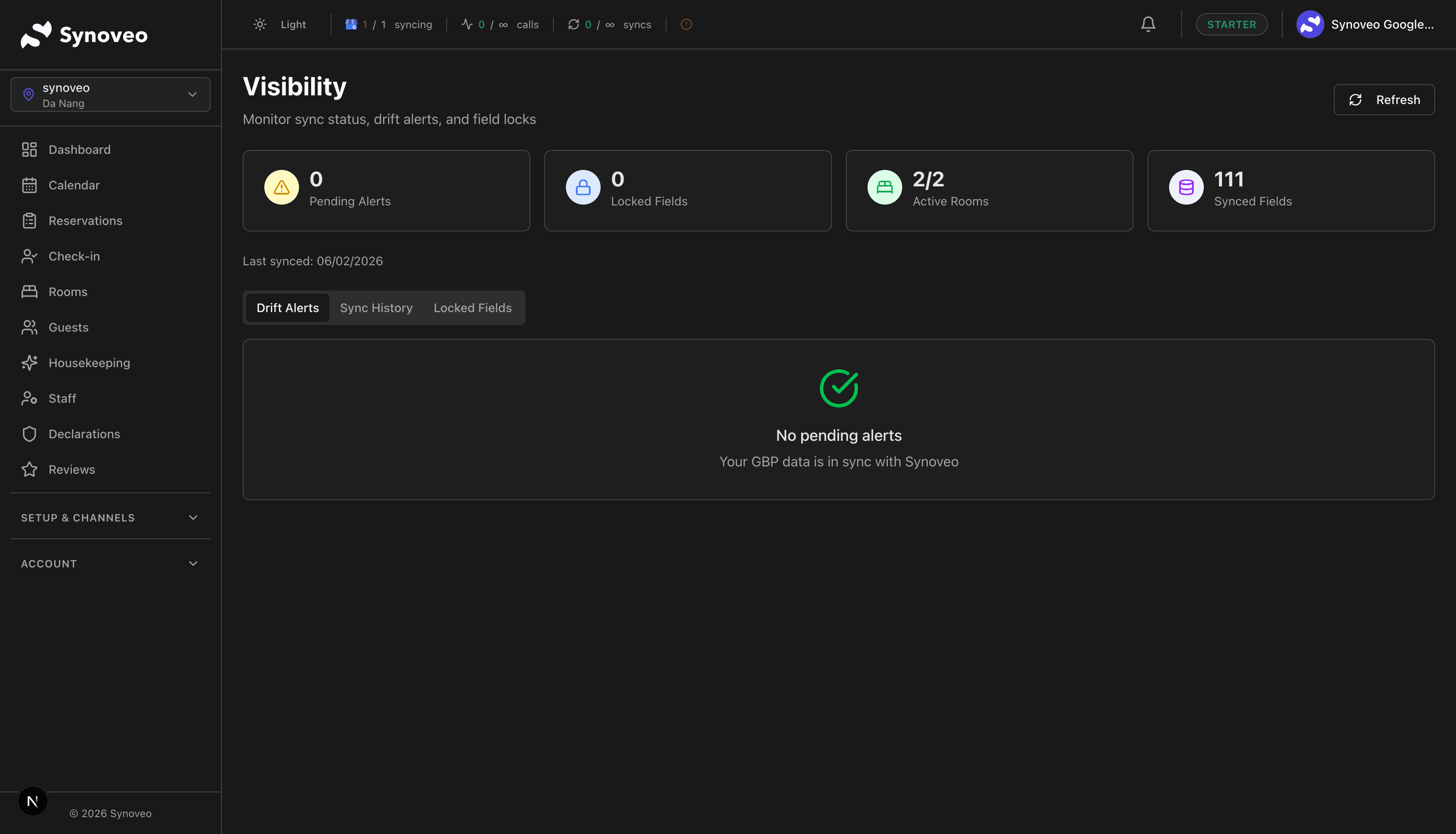
Drift Detection
"Drift" means your Google listing has changed without you making the update. This happens more often than you might think.
What causes drift
| Cause | Example |
|---|---|
| Google auto-updates | Google pulls data from your website or third-party sources and changes your listing |
| User suggestions | Anyone on Google Maps can suggest edits to your listing |
| Google reviews | When enough reviews mention something, Google may update your attributes |
| Algorithm changes | Google occasionally reorganizes how information displays |
How Synoveo detects drift
Synoveo periodically compares your intended listing (what you set in Synoveo) with what's actually showing on Google. When there's a mismatch, you get an alert.
Drift alerts
When drift is detected, you'll see:
- Which field changed -- The specific information that differs
- Your version -- What you set in Synoveo
- Google's version -- What's currently showing on Google
- When detected -- When Synoveo noticed the change
Handling drift
For each drift alert, you can:
| Action | When to Use |
|---|---|
| Restore your version | The Google change is wrong -- push your Synoveo data back to Google |
| Accept Google's version | The change is actually correct -- update Synoveo to match |
| Dismiss | Minor formatting difference that doesn't matter |
Don't ignore drift alerts. An incorrect phone number or address can send potential guests to the wrong place.
Search Visibility Tracking
Understand how your property appears in Google searches and how often potential guests find you.
Key metrics
| Metric | What It Measures |
|---|---|
| Search views | How many times your listing appeared in search results |
| Map views | How many times your listing appeared on Google Maps |
| Website clicks | How many people clicked through to your website |
| Direction requests | How many people asked for directions to your property |
| Phone calls | How many people called you directly from Google |
Search queries
See what people searched for when they found your property:
- Direct searches -- People who searched for your property by name
- Discovery searches -- People who searched for a category, product, or service ("hotels near me")
- Branded searches -- People who searched for your brand or a brand related to your business
Discovery searches are the most valuable because they represent new guests who didn't know about your property before. A higher percentage of discovery searches means your optimization is working.
Tracking over time
Synoveo shows trends so you can see the impact of your optimization efforts:
- Week over week -- Short-term changes after specific updates
- Month over month -- Medium-term trends
- Year over year -- Seasonal patterns and long-term growth
SEO Best Practices for Lodging
1. Complete your profile
Every empty field is a missed opportunity. Fill out everything, even fields that seem minor.
2. Use the right categories
Your primary category should be the most specific match:
- "Hotel" is better than "Lodging" if you're a hotel
- "Bed and breakfast" is better than "Hotel" if you're a B&B
- Add secondary categories for other services (restaurant, event venue)
3. Add quality photos regularly
- Upload new photos at least once a month
- Include seasonal photos (your property in different seasons)
- Show different room types and common areas
- Add captions with relevant descriptions
4. Keep hours accurate
- Update hours for every holiday and seasonal change
- Set special hours in advance (Google favors proactive updates)
- Mark any closures clearly
5. Collect and respond to reviews
- More reviews improve your search ranking
- Higher ratings improve your click-through rate
- Responses show engagement, which Google values
6. Post regularly
- Google Business posts signal that your listing is active
- Regular updates improve your visibility
- Posts with offers can drive direct bookings
7. Use attributes thoroughly
- List every amenity your property offers
- Update attributes when you add new services
- Include accessibility information
Visibility Improvement Checklist
- Profile completeness score above 90%
- All recommendations addressed or reviewed
- Drift alerts checked and resolved
- At least 20 quality photos uploaded
- Business description written (500+ characters)
- All amenity attributes set
- Regular and special hours up to date
- Reviews responded to within 48 hours
- Google posts published at least weekly
- Search visibility metrics reviewed monthly