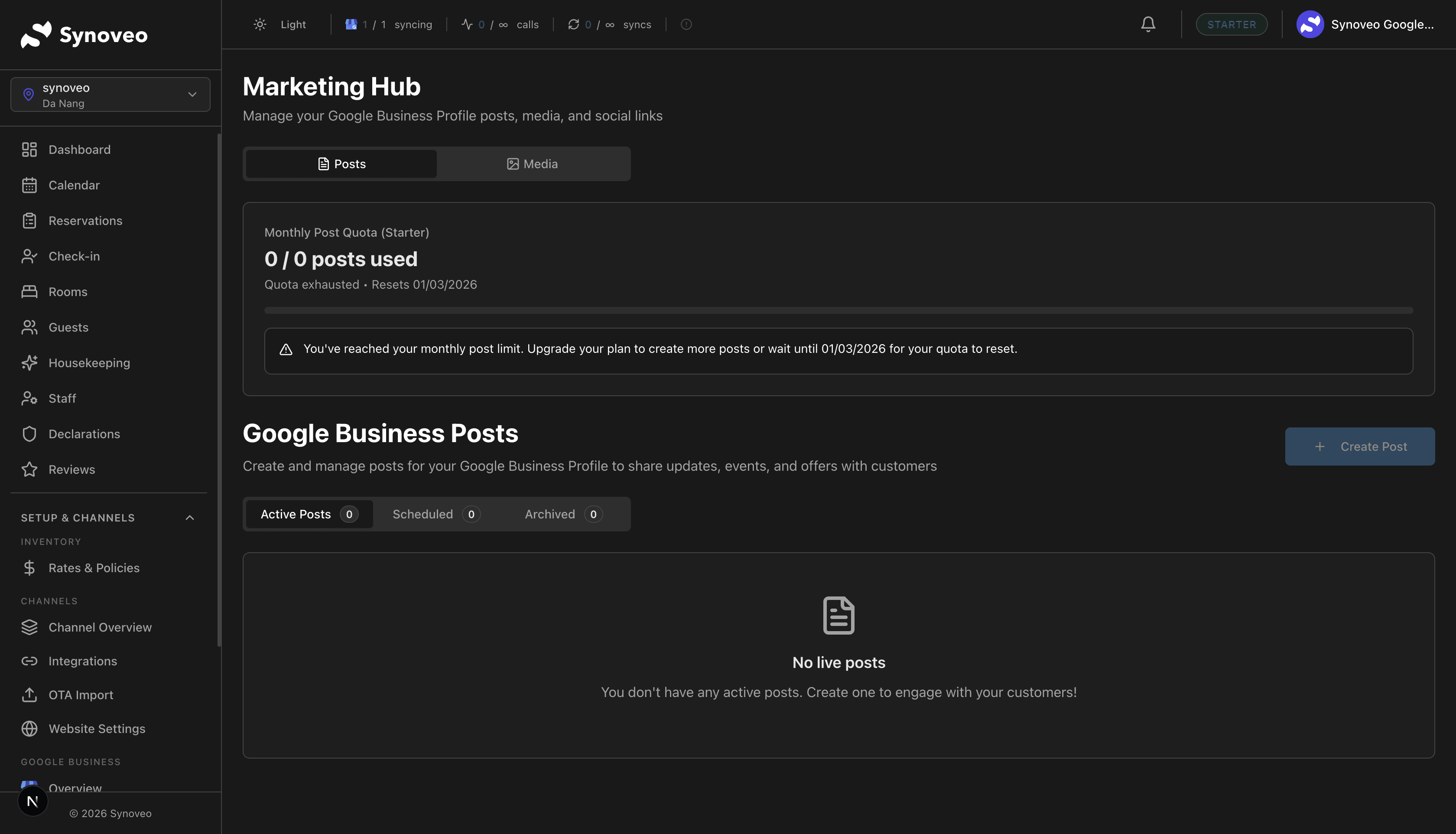
Google Business Posts
Create and manage posts on your Google listing to attract more guests
Google Business posts let you share updates, promotions, and events directly on your Google listing. They appear in search results and can drive more guests to your property.
What Are Google Posts?
Google posts are short updates that appear on your Google Business Profile. When someone searches for your property, they see your latest posts alongside your photos, reviews, and business information.
Why post on Google:
- Posts appear directly in search results, where guests are already looking
- They show Google that your business is active and engaged
- Posts can highlight special offers, events, and seasonal experiences
- They give you another way to stand out from nearby properties
Google posts are free. There's no cost to create or publish them, and they're shown to anyone who views your business listing.
Types of Posts
Updates
General announcements about your property. Use these for:
- New amenities or room renovations
- Seasonal highlights ("Our garden is in full bloom this spring")
- Staff introductions or property stories
- Local area guides and tips
Offers
Special deals and promotions with a start and end date. Use these for:
- Seasonal discounts ("Book 3 nights, get the 4th free")
- Last-minute deals
- Package offers (room + dinner, romance package)
- Early-bird rates for upcoming events
Events
Promote upcoming events at or near your property:
- Property events (wine tastings, holiday dinners)
- Local festivals and attractions
- Seasonal activities (ski season opening, summer concert series)
- Workshops or classes you host
Creating a Post
Go to Posts
In your Synoveo console, navigate to Google Presence > Posts.
Choose the post type
Select Update, Offer, or Event depending on what you want to share.
Write your content
Add a title, description, and photo. Keep it concise -- Google shows a limited preview.
For offers: Add the offer details, coupon code (optional), and start/end dates.
For events: Add the event name, date, time, and description.
Add a call-to-action button
Choose what you want guests to do:
- Book -- Links to your booking page
- Learn more -- Links to a page on your website
- Call now -- Shows your phone number
- Get offer -- Links to the offer details
Preview and publish
Review how your post will look on Google, then click Publish.
Writing Effective Posts
Content tips
| Do | Don't |
|---|---|
| Use clear, friendly language | Use ALL CAPS or excessive punctuation!!! |
| Include a high-quality photo | Use blurry or dark images |
| Add a call-to-action | Forget to tell guests what to do next |
| Keep it under 300 words | Write essay-length posts |
| Highlight what's unique about your property | Copy generic hotel marketing text |
Photo guidelines
- Size: At least 720 x 540 pixels
- Format: JPG or PNG
- Content: Show what the post is about (the room for a deal, the event space for an event)
- Quality: Well-lit, in focus, inviting
Posts with photos get significantly more views than text-only posts. Always include an image.
Post examples
Good update post:
"We've just completed renovations on our Lakeview Suite! Enjoy panoramic views of the lake from a private balcony, plus a brand-new spa bathroom. Book now to be among the first to experience it."
Good offer post:
"Stay 3 nights, pay for 2 -- valid for stays in March and April. Perfect for a spring getaway. Our property is steps from the botanical gardens, which are in full bloom this time of year."
Good event post:
"Join us for our annual Summer Wine Tasting -- Saturday, June 15th from 6-9 PM. Sample wines from 8 local vineyards, paired with cheese from our kitchen. Open to guests and the public. Reserve your spot!"
Scheduling Posts
Don't want to publish right away? Schedule posts for later:
- Create your post as normal
- Instead of clicking Publish, click Schedule
- Choose the date and time you want the post to go live
- The post will publish automatically
Plan your posts around the booking cycle. Promote summer packages in spring, holiday offers in early fall, and last-minute deals close to quiet periods.
Post Performance
Track how your posts perform:
| Metric | What It Means |
|---|---|
| Views | How many times your post was seen |
| Clicks | How many people clicked your call-to-action |
| Click-through rate | Percentage of viewers who clicked |
Use these metrics to understand what resonates with your audience:
- Which post types get the most engagement?
- What offers generate the most interest?
- Which photos catch people's attention?
Post Lifespan
Google posts have limited visibility:
| Post Type | Visible For |
|---|---|
| Updates | About 6 months (shown less over time) |
| Offers | Until the end date you set |
| Events | Until the event date passes |
Post regularly to keep fresh content on your listing. Once or twice per week is a good rhythm for most properties.
Best Practices
- Post consistently -- 1-2 posts per week keeps your listing fresh
- Mix post types -- Alternate between updates, offers, and events
- Use seasonal content -- Tie posts to seasons, holidays, and local events
- Always include a photo -- Visual posts get more engagement
- Track what works -- Use post performance data to refine your approach
- Include a call to action -- Tell guests what to do next (book, call, learn more)
- Keep it guest-focused -- Write about what matters to travelers, not internal news